socialbu image generated wed jul 16 2025 15 49 18 gmt+0300 (east africa time)

Top Productivity Tools for Optimized Workflows in 2025: A Critical Evaluation

In 2025, productivity has evolved beyond mere task completion—it now emphasizes efficiency, intentionality, and cognitive optimization. As professionals, students, and entrepreneurs navigate increasingly complex workloads, the right digital tools can significantly enhance output while reducing cognitive strain. Having rigorously tested numerous productivity applications, I have identified three that stand out due to their functionality, adaptability, and measurable impact on workflow efficiency: Notion, Grammarly, and Todoist.

This article provides an in-depth analysis of each tool, examining their key features, practical applications, and suitability for different professional contexts. By integrating these tools into daily workflows, users can streamline processes, minimize distractions, and allocate cognitive resources more effectively.
1. Notion: A Unified Workspace for Knowledge Management

notion wordmark
group 103

Image credit: Notion

Overview

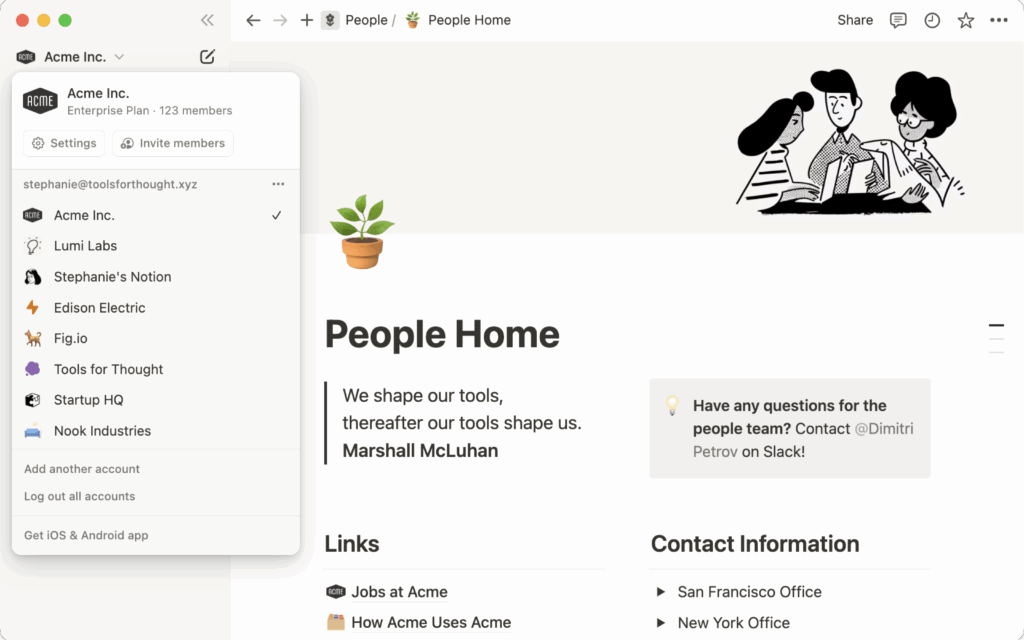
Notion is a multifaceted productivity platform that consolidates note-taking, project management, database creation, and collaborative workspaces into a single, customizable interface. Its modular design allows users to construct tailored systems that align with individual or organizational workflows.

Key Features and Benefits

  • Customizable Layouts: Users can design pages using drag-and-drop modules, including tables, Kanban boards, calendars, and embedded media.
  • Linked Databases: Enables relational data tracking, allowing seamless connections between tasks, projects, and reference materials.
  • Template Library: Pre-built templates for meeting notes, content calendars, habit trackers, and project roadmaps accelerate setup.
  • Cross-Platform Collaboration: Supports real-time editing, comments, and permissions, making it ideal for distributed teams.

Practical Applications

  • Personal Knowledge Management: Acts as a centralized repository for research, meeting notes, and documentation.
  • Project Tracking: Kanban-style boards and Gantt chart integrations facilitate agile project management.
  • Habit Formation: Embedded habit trackers and goal-setting frameworks encourage long-term behavioral consistency.

Target Audience

Notion is particularly beneficial for knowledge workers, researchers, content creators, and teams requiring a flexible, all-in-one organizational system.
2. Grammarly: An AI-Driven Writing Enhancement Tool

frame 31613445
pdf report

Image credit: Grammarly

Overview

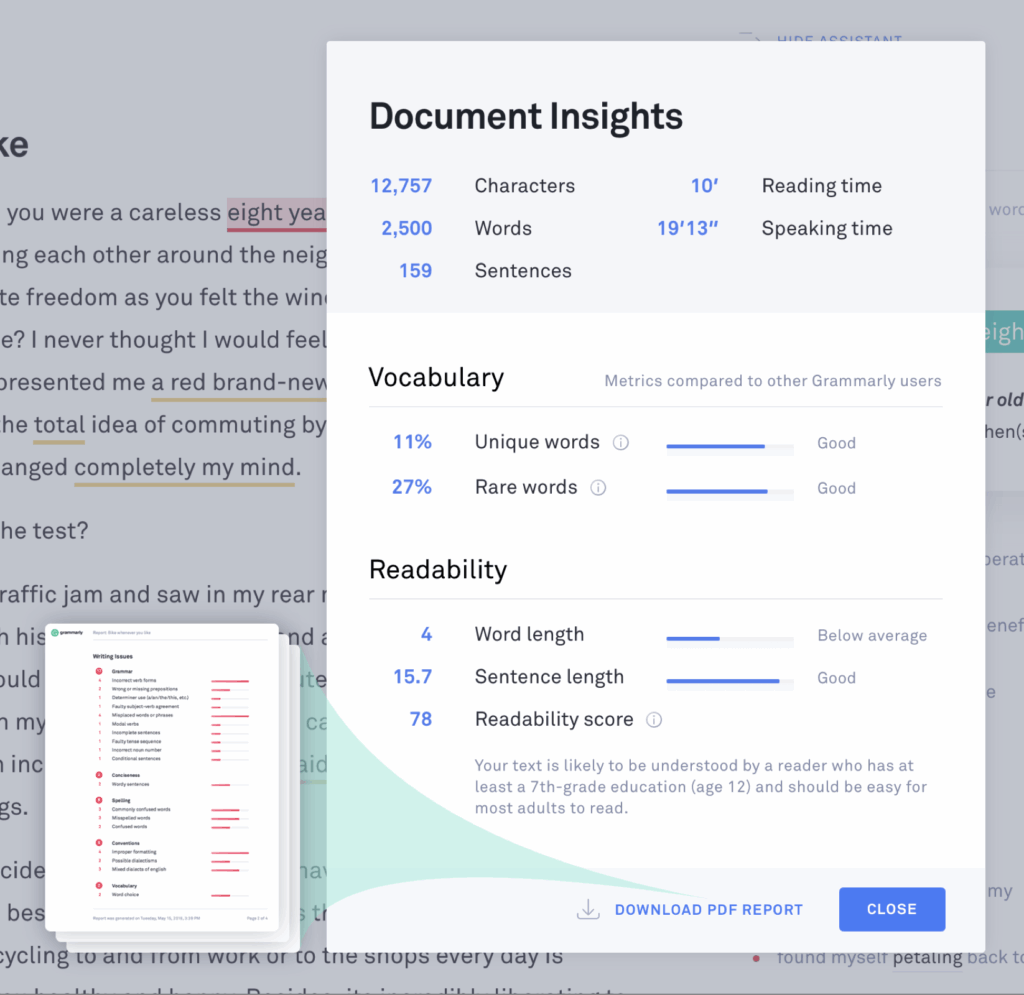
Grammarly is an advanced writing assistant that leverages artificial intelligence to improve grammar, clarity, and tone across digital communications. Its real-time feedback mechanism ensures polished and professional writing in emails, reports, and creative content.

Key Features and Benefits

  • Grammar and Syntax Correction: Identifies and rectifies grammatical errors, punctuation misuse, and syntactical inconsistencies.
  • Tone Adjustment: Analyzes word choice and sentence structure to align with formal, persuasive, or conversational tones.
  • Clarity and Conciseness: Recommands revisions to eliminate redundancy and enhance readability.
  • Plagiarism Detection: Scans text against billions of web pages to ensure originality, a critical feature for academics and professionals.

Practical Applications

  • Professional Communication: Ensures error-free emails, proposals, and client correspondence.
  • Academic Writing: Enhances essays, research papers, and dissertations with precise language and citation integrity.
  • Content Creation: Optimizes blog posts, social media content, and marketing copy for engagement and clarity.

Target Audience

Grammarly is indispensable for writers, business professionals, students, and non-native English speakers seeking to refine their written communication.
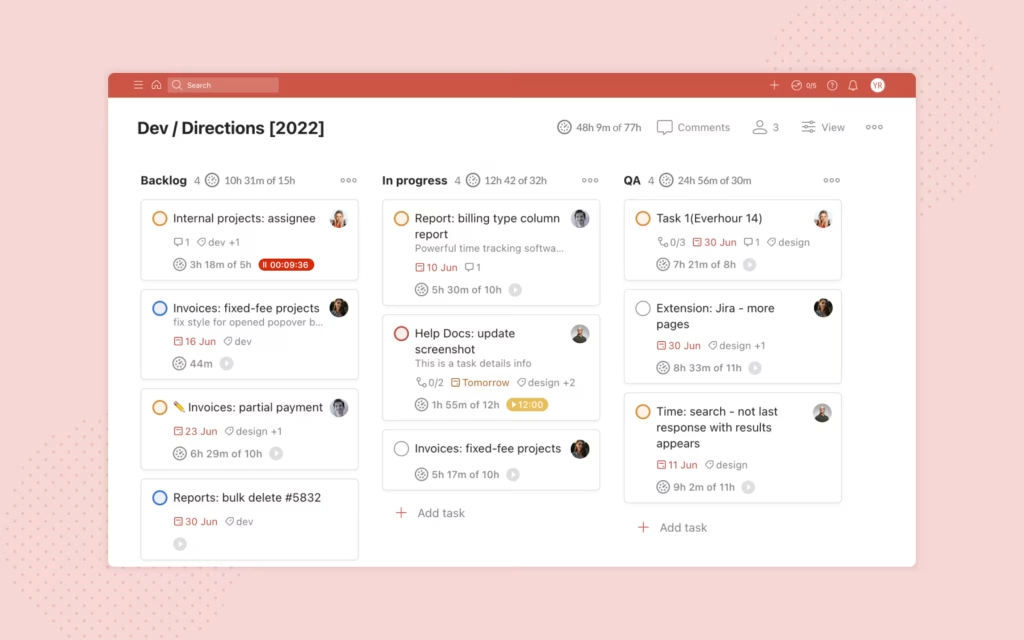

3. Todoist: A Systematic Approach to Task Management

https images.ctfassets.net dm4oa8qtogq0 5kkrdrctbc4cza58ece74d a4445e559358033046731970cae71573 todoist everhour 2
todoist logo

Overview

Todoist is a minimalist yet powerful task management application designed to optimize personal and professional productivity. Its intuitive interface, combined with robust scheduling features, facilitates efficient task delegation and progress tracking.

Key Features and Benefits

  • Natural Language Processing: Allows users to input tasks using conversational syntax (e.g., “Submit report by Friday 3 PM”).
  • Priority Labeling: Tasks can be categorized by urgency (P1 to P4), aiding in effective prioritization.
  • Recurring Task Automation: Simplifies routine responsibilities by setting daily, weekly, or monthly reminders.
  • Productivity Analytics: The Karma system provides insights into task completion trends, encouraging consistent performance.

Practical Applications

  • Daily Task Structuring: Facilitates morning reviews and time-blocking strategies.
  • Project Breakdowns: Enables subdivision of complex projects into actionable subtasks.
  • Work-Life Balance Management: Helps allocate time for professional and personal commitments.

Target Audience

Todoist is ideal for freelancers, executives, and multitaskers seeking a streamlined method for managing deadlines and responsibilities.


Conclusion: Strategic Tool Integration for Enhanced Productivity

The modern productivity landscape demands tools that minimize friction, automate repetitive tasks, and enhance cognitive efficiency. Notion, Grammarly, and Todoist each address distinct aspects of workflow optimization—organization, communication, and task execution, respectively.

For optimal results, users should adopt these tools incrementally:

  1. Assess Pain Points: Identify whether knowledge management, writing efficiency, or task delegation is the primary bottleneck.
  2. Implement Gradually: Master one tool before integrating another to avoid cognitive overload.
  3. Customize Workflows: Tailor each application to individual or organizational needs for maximum efficacy.

By leveraging these tools strategically, professionals in 2025 can transcend mere busyness and achieve meaningful, high-impact productivity.The difference between surviving your workload and mastering it often lies in the systems you build. These tools have helped me reclaim focus, minimize chaos, and create space for deep work.


Leave a Reply

Your email address will not be published. Required fields are marked *